Clear the clutter. Keep the memories.
AI Cleaner finds duplicate and similar photos, blurry shots, old screenshots and oversized videos on your iPhone. Review what it found, tap Clean, and get your space back in seconds.
Coming soon on theApp Store
See what it cleans- For iPhone
- Duplicates and similar shots
- PIN-protected Secret space
iPhone storage
119.4 GB of 128 GB used
- Best
- Best
Interactive demo with sample data. Tap a flagged file to keep it, then tap Clean.
Everything that eats your storage, in one place
Four tools that cover the usual suspects: photo clutter, near-identical shots, heavy videos and the files you'd rather keep to yourself.
-
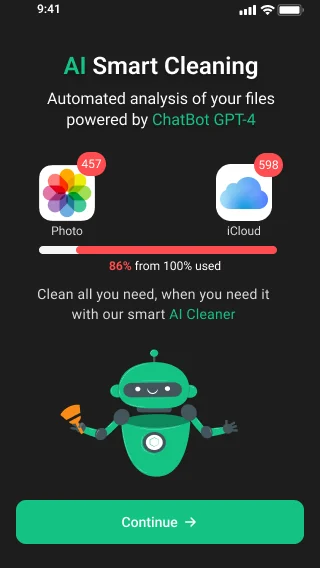
AI smart cleaning
One scan looks across your photo library and iCloud, shows how full your storage really is, and lines up what can safely go.
- Photos
- iCloud
- Storage overview
-
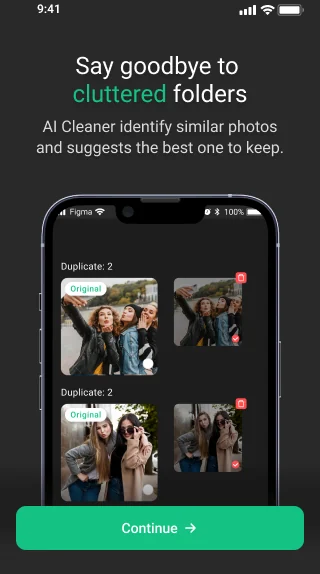
Similar and duplicate photos
Bursts, retakes and copies are grouped together. AI Cleaner marks the best shot of each group to keep, so you only clear the extras.
- Duplicates
- Similar shots
- Blurry photos
- Screenshots
-
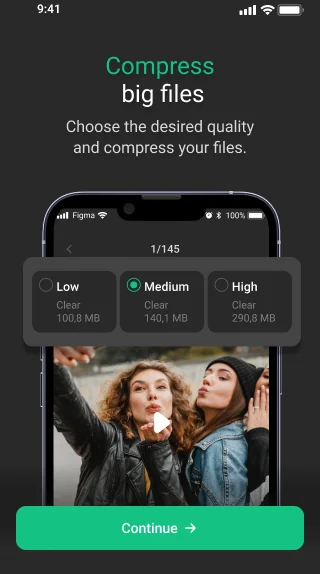
Compress big files
Keep the video, lose the weight. Pick Low, Medium or High quality and see exactly how much space each option clears before you commit.
- Large videos
- Three quality levels
- Size preview
-
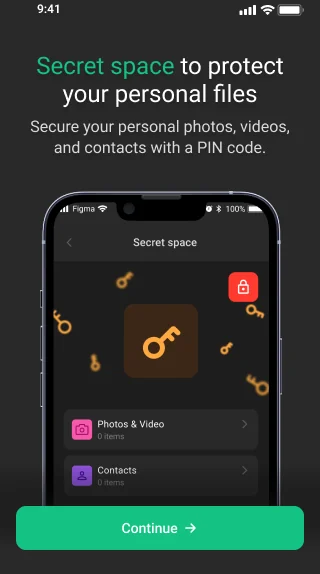
Secret space
Move personal photos, videos and contacts into a private space protected by your own PIN code, away from the main camera roll.
- PIN code
- Photos and videos
- Contacts
Three taps to a lighter iPhone
No settings to learn. The app does the searching, you stay in charge of what gets deleted.
-
Scan
Open AI Cleaner and let it look through your photos, videos and storage.
-
Review
Check what it found and choose what to remove. Nothing is deleted without your say.
-
Clean
Tap Clean and watch the space come back. Run it again whenever storage fills up.
Why keep your iPhone tidy
-
Room for what's next
Space for new photos, apps and iOS updates, without the "Storage almost full" warning getting in the way.
-
A smoother iPhone
A phone with free space has room to breathe, and a tidy library is faster to scroll, search and back up.
-
Private stays private
Clear out files you no longer want around, and keep the personal ones in Secret space behind a PIN.
Questions, answered
Still curious? Write to [email protected].
What does AI Cleaner remove?
It looks for duplicate and similar photos, blurry shots, old screenshots and large videos, and shows them grouped so you can decide what to delete. Big videos can also be compressed instead of deleted.
Will it delete anything without asking?
No. The app suggests, you decide. Every clean-up starts with a review screen where you can keep any file before tapping Clean.
Can I get deleted photos back?
Photos and videos you delete go to the Recently Deleted album in the Photos app, where iOS keeps them for up to 30 days. Restore them from there, or empty the album to free the space straight away.
Does compressing a video reduce its quality?
A little, and you choose how much. Low, Medium and High quality each show the space they clear, so you can pick the balance that suits the video.
What is Secret space?
A private area inside the app for photos, videos and contacts, locked with a PIN code you set. It keeps personal files out of the main camera roll.
What data does the app collect?
Basic usage and device information such as IP address, the screens you visit and your operating system. It does not collect your precise location. Details, including the third-party services used, are in the privacy policy.
How do I contact support?
Email [email protected] or use the form on the contacts page.
Make room for new memories
Scan, review and clean your iPhone storage with AI Cleaner.
Coming soon on theApp Store